Public answers from information you approve

Turn your information into a multilingual AI Spot.

Several sources in one SpotAnswers in the visitor’s languageMissing-information feedback
A traveler scans a TellSpotAI QR code at an information stand.
A Spot can be shared online or placed where questions happen.

Add sources

Combine documents, websites, and direct text in one knowledge base.

Test answers

Ask real questions and review the result before anything becomes public.

Publish once

Share a public link or QR code wherever visitors need information.

Improve from use

See recurring questions and gaps, then add what is missing.

Use what you already have

Upload diverse sources.

  • PDF
    Documents and guidesPDF, DOCX, TXT, and Markdown files.
  • URL
    Website informationAdd a page or scan approved pages from the same website.
  • TXT
    Direct text and instructionsAdd policies, context, or details that do not live in a file.
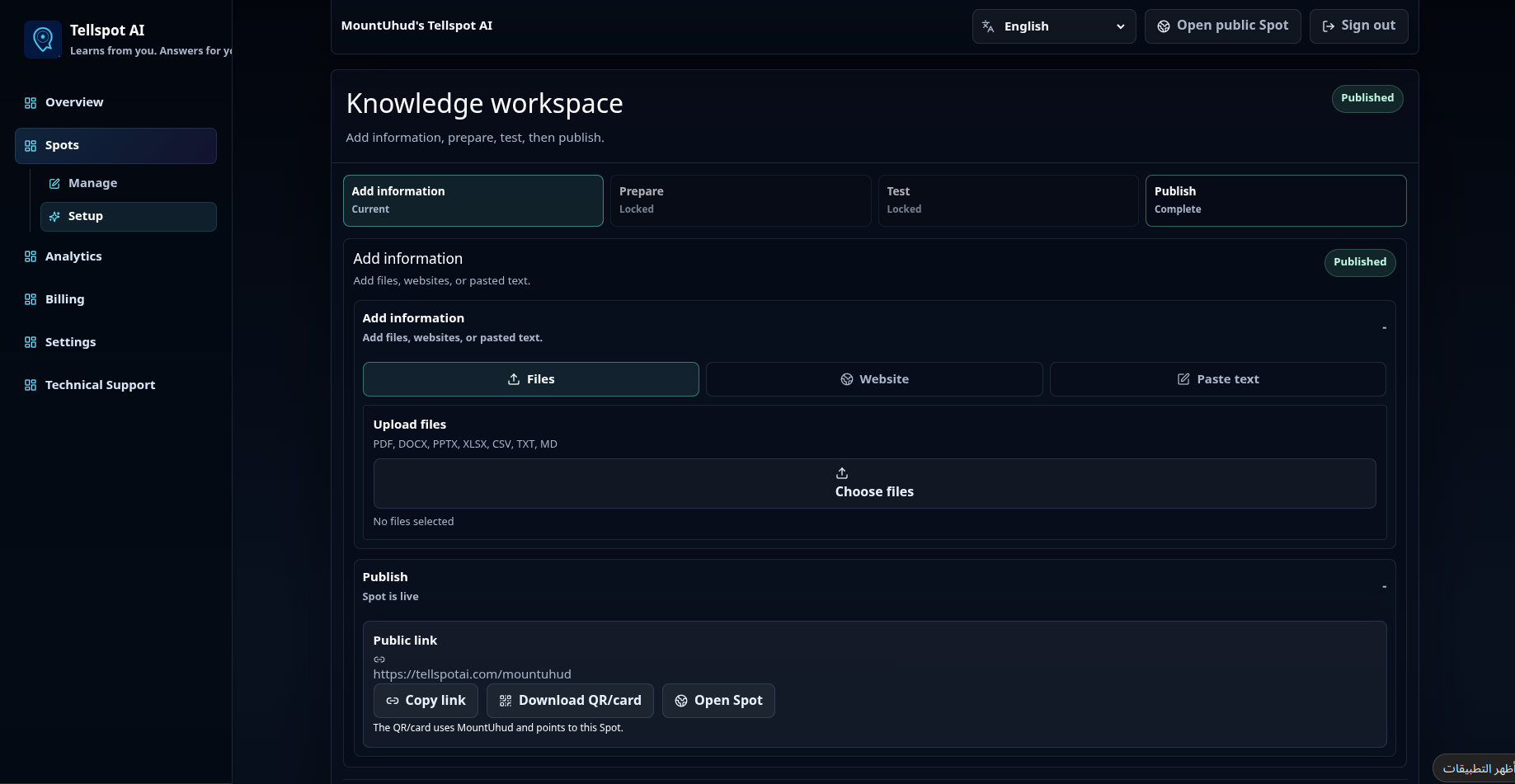
Current TellSpotAI Knowledge workspace showing source upload, setup progress, and publishing controls.
Current TellSpotAI Knowledge workspace.

One product, two clear experiences

You manage the knowledge. Visitors only see the conversation.

Account controls stay private. The public Spot remains simple enough to open from a link or QR code without creating an account.

For the owner

A workspace for every Spot

  • Add, edit, or remove individual sources.
  • Test changes before publishing them.
  • Manage several Spots from one account.
  • Review questions, contact intent, and missing information.
  • Use protected access when a Spot is not public.
For the visitor

A focused public conversation

  • Open the Spot without an account.
  • Ask naturally in a supported language.
  • Continue with contextual follow-up questions.
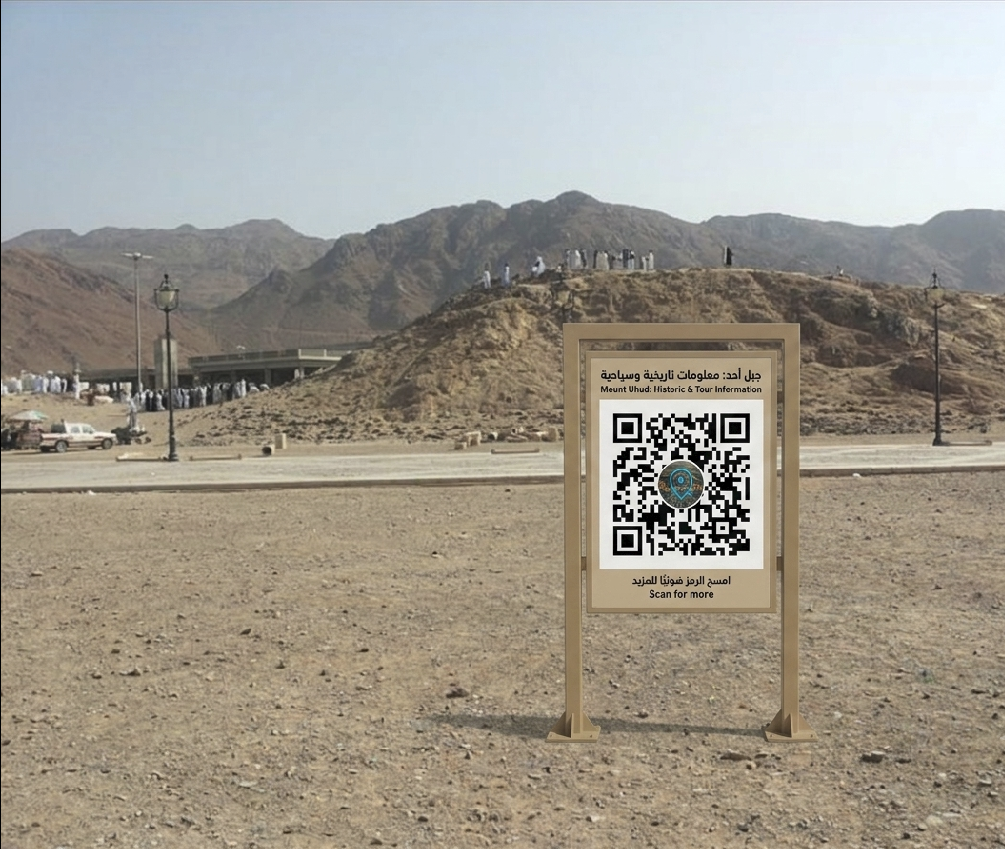
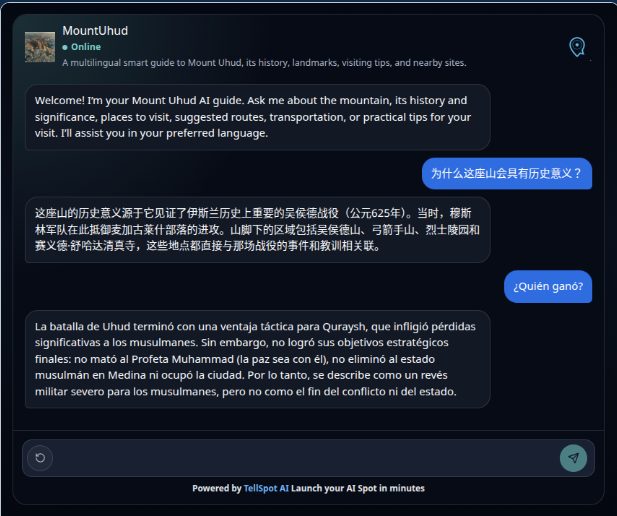
A real Mount Uhud information sign containing a scannable QR code for the MountUhud Spot.The live MountUhud Spot showing a multilingual conversation after opening the QR code.

Click the image to try the chat

Feedback you can act on

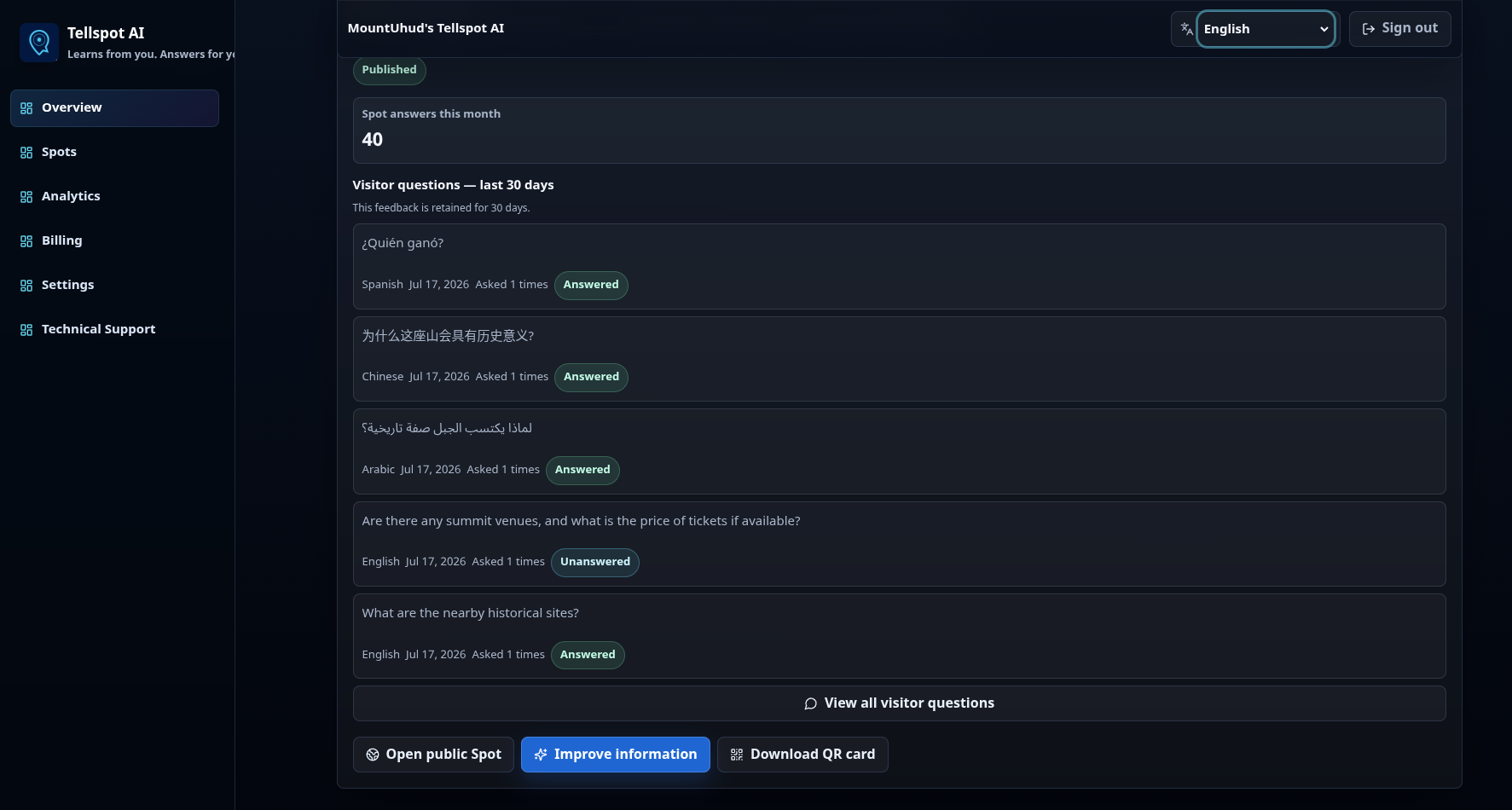
See what your information did not answer.

TellSpotAI turns real visitor questions into a practical list of knowledge gaps. Add the missing detail, test it, and publish the improved version.

  • Find recurring unanswered topics.
  • Separate information gaps from contact requests.
  • Review activity for each Spot independently.
Current TellSpotAI dashboard showing visitor questions and answered or unanswered status.
Current visitor-question view in the TellSpotAI dashboard.

Clear analytics

Understand customer trends and each Spot’s performance.

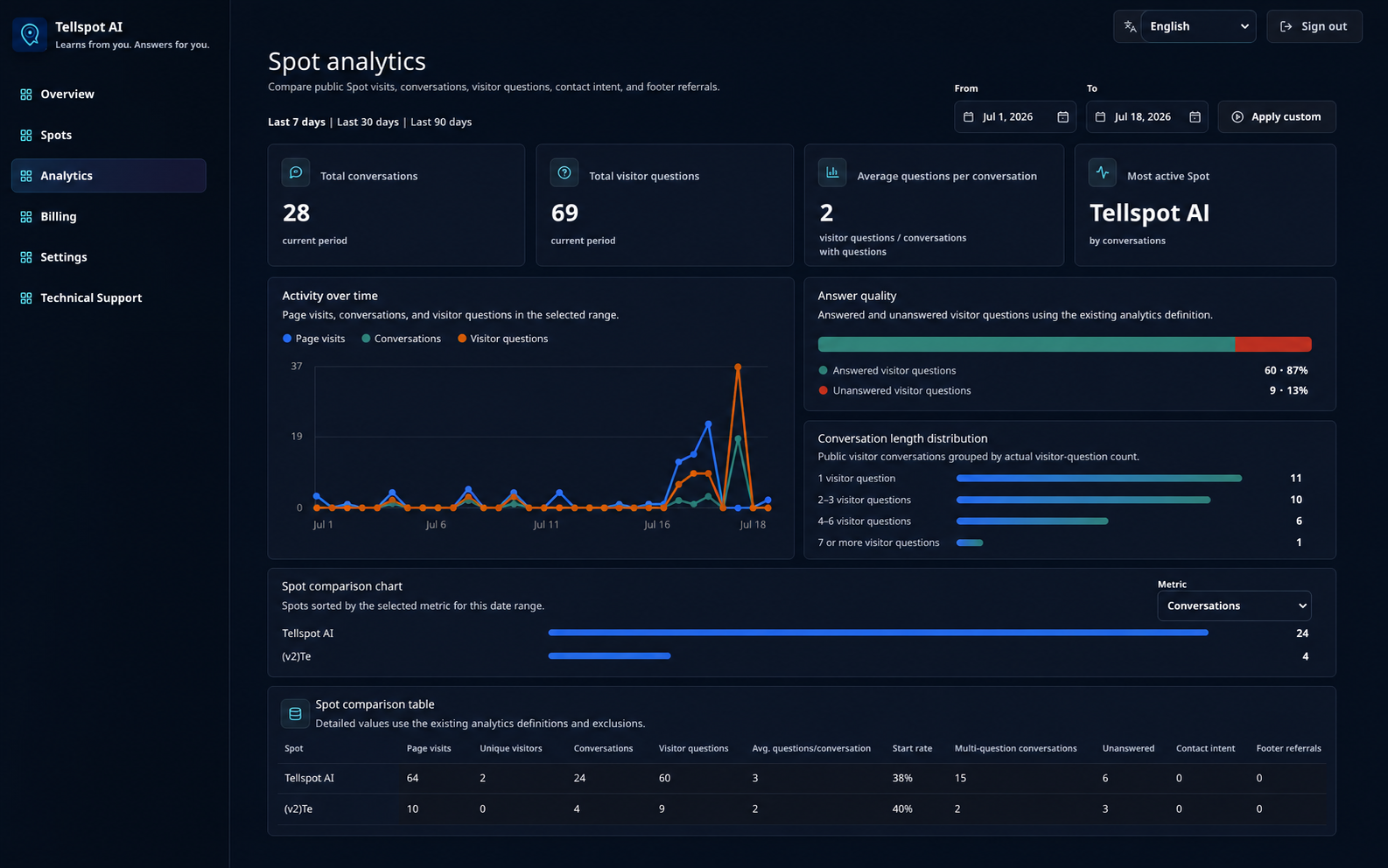
Discover what attracts visitors, what demand is rising or falling for, and compare Spot performance over the period you choose.

Current TellSpotAI analytics dashboard showing activity over time, answer quality, conversation length, Spot comparison, and detailed metrics.
Current Spot analytics in TellSpotAI.

Separate Spot, clear purpose

Create a Spot for each place, product, service, event, or audience.

Each Spot has its own sources, public link, visitor questions, and publishing state. Manage them together without mixing their information.

Places

Directions, facilities, history, policies, safety, and practical visiting guidance.

Example: museum, landmark, property

Products and retail

Product details, comparisons, usage, warranty, availability, and after-sale information.

Example: product line, branch, showroom

Services

Requirements, prices, processes, policies, preparation, and approved contact options.

Example: clinic, consultant, workshop

Events

Schedules, locations, speakers, attendee instructions, access, and frequently changing details.

Example: conference, exhibition, tour

Private audiences

Internal guides, onboarding, memberships, partner information, or protected reference material.

Example: staff, members, invited guests

You control what becomes public

Draft, test, and publish are separate states.

  1. 01

    Manage the draft

    Add, update, or remove sources without changing the public version.

  2. 02

    Test realistic questions

    Confirm coverage, wording, and missing details before release.

  3. 03

    Publish the Spot

    The public Spot updates only after a successful publish.

Practical questions

What you need to know before creating a Spot.

What can I add to a Spot?

You can add supported documents, website links, and direct text. Several active sources can be combined in the same Spot.

Do visitors need a TellSpotAI account?

No. A public Spot opens through its link or QR code. Protected Spots may require the access method selected by the owner.

Can I change a Spot after publishing it?

Yes. Edit the draft, test the updated answers, and publish again. The previous public version remains unchanged until the next successful publish.

Can one account manage multiple Spots?

Yes. Create separate Spots for different branches, products, services, places, events, or audiences and manage them from one account.

How do multiple languages work?

Visitors can ask in a supported language, and the Spot responds in the language they use while relying on the same approved source information.

What happens when the information is incomplete?

The owner can review unanswered questions and recurring gaps, add the missing information, test the result, and publish an improved version.

What consumes Credits?

Credits are consumed when TellSpotAI generates an AI response, when you test Spot knowledge and retrieval, and when you request additional Spots beyond those included in your main plan.

Publish the information your visitors need, then improve it from the questions they actually ask.

Create one Spot, add your existing information, and test the complete visitor experience before sharing it.

Create your AI Spot and get 100 free Credits
Examples of TellSpotAI usage in appliance showrooms, car showrooms, art galleries, and hotel reception spaces.